Scale Insights helps you turn your PPC strategy into repeatable, automated actions.
Instead of manually checking campaign performance and making the same bid, keyword, or scheduling decisions every day, you can define rules and optimization strategies that Scale Insights evaluates automatically.
At the core of the Automation Engine are Algorithms and Strategic Objectives.
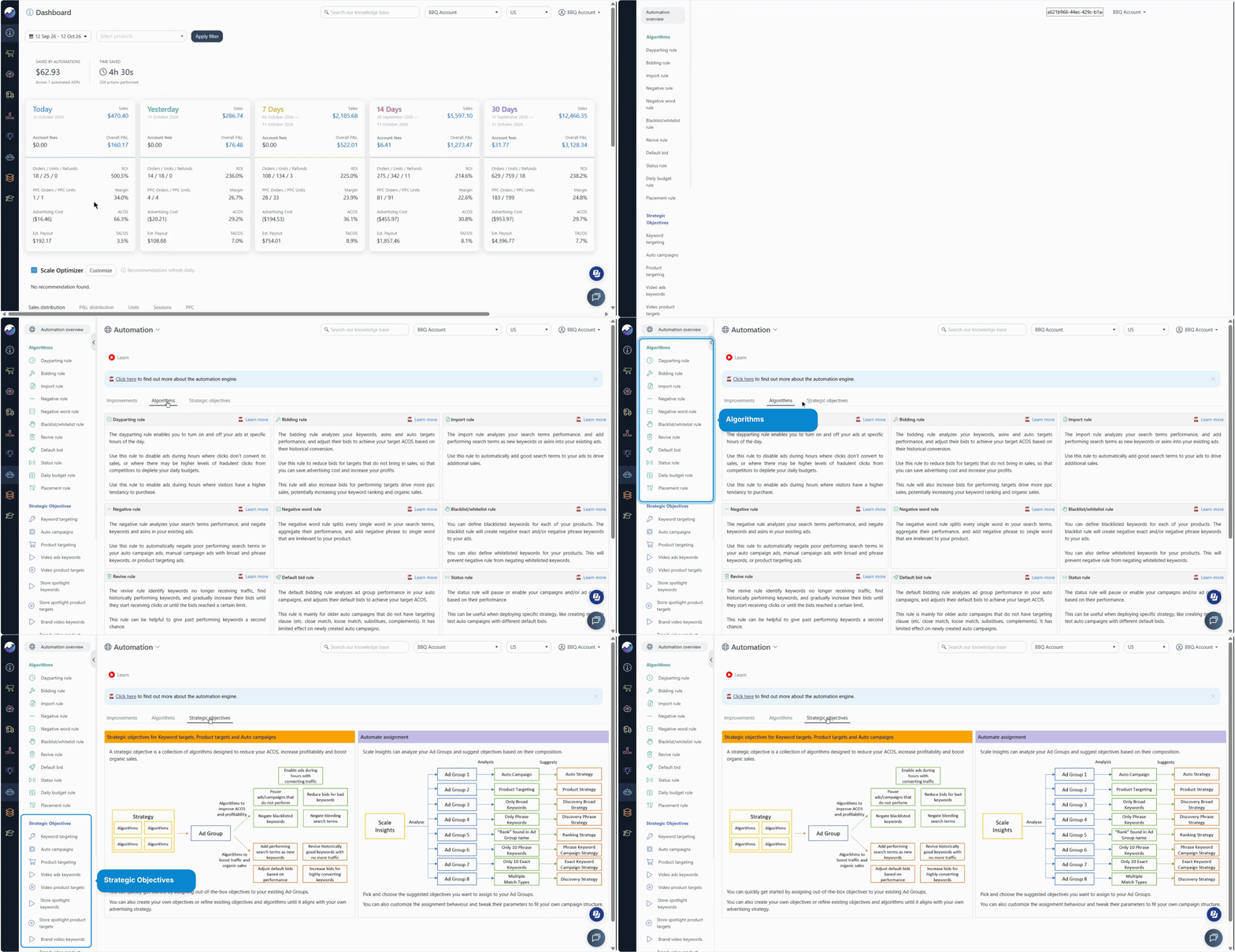
How the Automation Engine Works
Think of the Automation Engine as a way to turn your advertising strategy into a series of automated decisions.
Each part has a specific role:
| Component | What it does |
|---|---|
| Strategic Objective | Combines multiple algorithms into one overall optimization strategy |
| Algorithm | Handles specific types of optimization, such as keyword bid changes or search term negations |
| Rule | Defines what should happen in a particular performance scenario |
| Trigger Criteria | Determines when a rule should run |
| Action | Defines what a rule should do when the criteria are met |
[drawer]How Algorithms Work
An Algorithm is a collection of rules designed to automate a specific type of optimization.
For example, you might manually review your keywords every day and ask:
- Is this keyword generating enough orders?
- Is it converting well?
- Is it spending too much?
- Should I increase or decrease the bid?
A Bidding Algorithm lets you turn these decisions into rules that Scale Insights can evaluate automatically.
Example: Automating Keyword Bids
Imagine you want to use different bidding strategies depending on keyword performance.
You could create rules such as:
| If the keyword... | Scale Insights... |
|---|---|
| Gets at least 3 orders and has at least 20% conversion | Adjusts the bid toward a 40% ACOS target |
| Has 5% or lower conversion and at least $10 in spend | Adjusts the bid toward a 20% ACOS target |
| Gets at least 3 clicks | Adjusts the bid toward a 30% ACOS target |
Additional settings, such as bid caps and Amazon-suggested bids, can further control how the bid is adjusted.
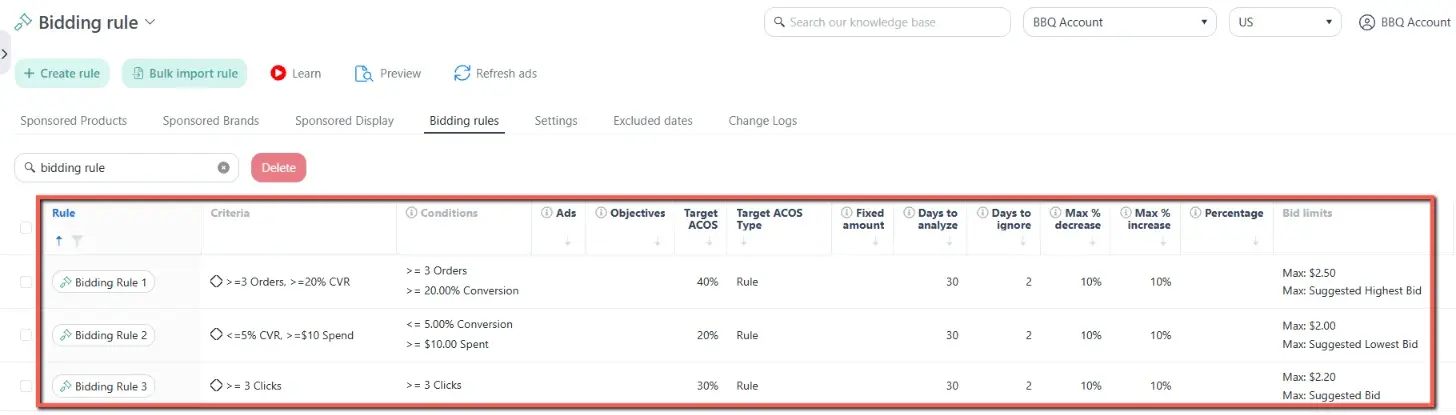
These rules together form a Bidding Algorithm.
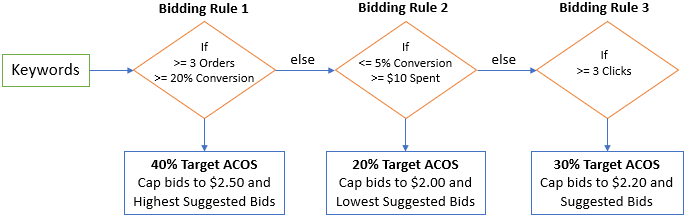
If we map out the bidding optimization process, this is what the workflow looks like:
Learn how each Algorithm works: Overview of Each Automation Algorithm
[drawer]How Rules Work
Each rule essentially answers two questions:
When should this happen? → What should happen?
For example:
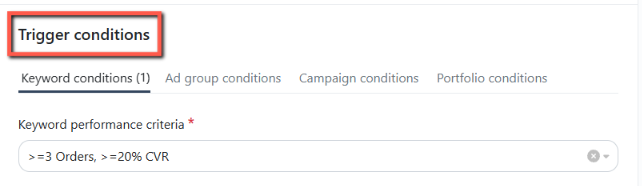
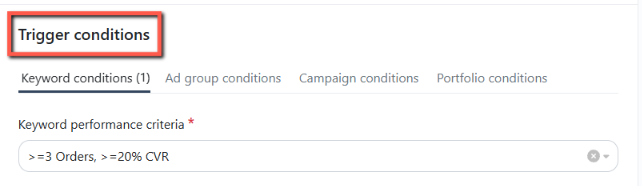
Trigger Criteria: At least 3 orders AND at least 20% conversion
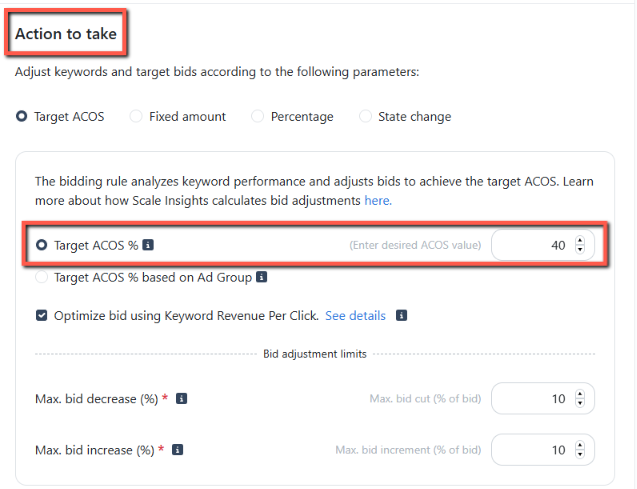
Action: Adjust the bid toward 40% ACOS, while respecting the configured bid limits.
In Scale Insights:
- Rule = Bidding Rule
- Trigger Criteria = At least 3 Orders + At least 20% Conversion
- Action = Adjust the bid toward 40% ACOS
You can learn more about the available algorithms and how to configure them in the Algorithms section.
[drawer]How Strategic Objectives Work
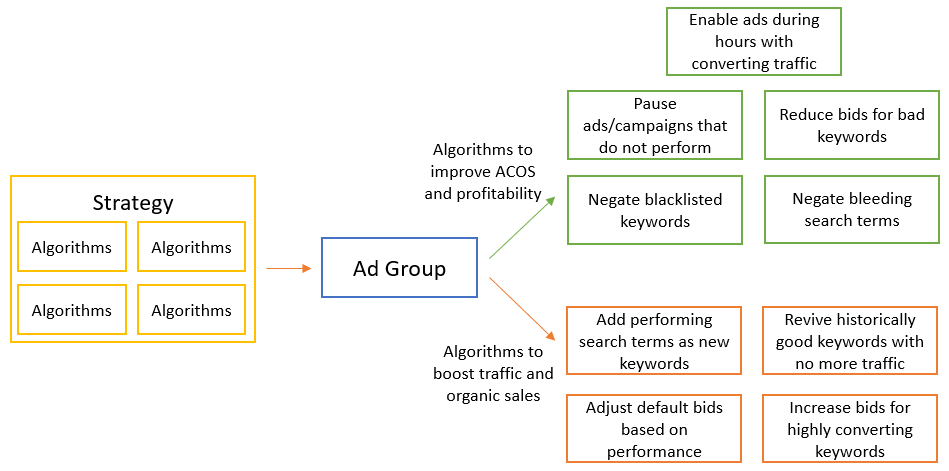
An Algorithm focuses on one type of optimization. A Strategic Objective combines multiple algorithms to support a broader advertising goal.
Example: Automating an Auto Campaign
Suppose you have several Auto Campaigns that you use to discover new search terms.
Your Strategic Objective could look like this:
Goal: Discover new keyword opportunities efficiently
You could combine several algorithms to support that goal:
- Bidding Algorithm – Adjust bids for different targeting clauses toward your desired ACOS.
- Dayparting Algorithm – Control when ads are active to help manage advertising spend.
- Blacklist Algorithm – Prevent previously identified irrelevant search terms from being targeted again.
- Negative Algorithm – Identify poor-performing search terms and add them as negative keywords.
- Negative Word Algorithm – Identify inefficient words across search terms and add them as negative phrase keywords.
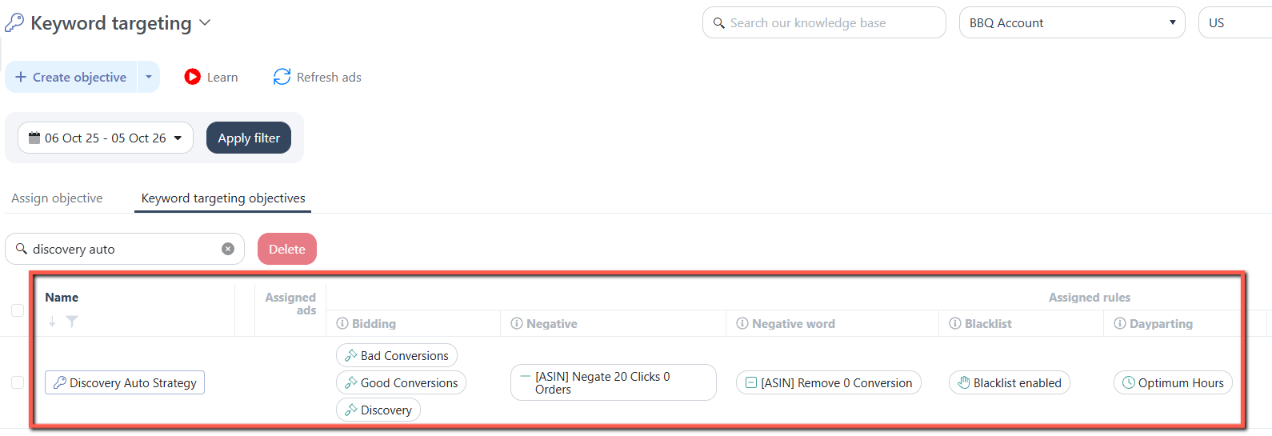
Then, apply the Strategic Objective to multiple campaigns.
Instead of configuring the same set of rules separately for every campaign, you can assign the Strategic Objective to multiple campaigns and apply the same optimization logic.
If we map out the strategy optimization process, this is what the workflow looks like: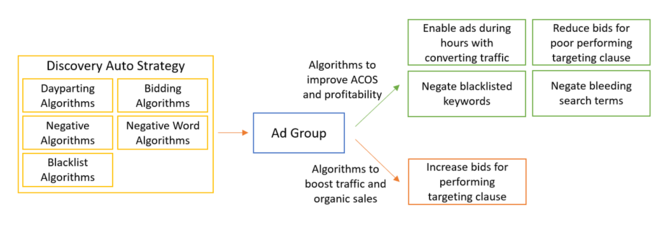
Learn how to create and assign a Strategic Objective, reuse it across ad groups, and manage it as your advertising strategy evolves.
[drawer]What Can You Automate?
Depending on the algorithms you use, the Automation Engine can help you automate tasks such as:
- Bid optimization based on performance
- Ad scheduling based on time-based performance
- Negative keyword management
- Keyword and targeting discovery
- Campaign optimization based on defined performance conditions
- Repeated optimization tasks across multiple campaigns
Each algorithm is designed for a specific type of optimization. You can combine them into Strategic Objectives when you need a more comprehensive strategy.
For a list of the available Algorithms and when to use them, check: Overview of Each Automation Algorithm
[drawer]Start with Presets, Then Customize
A new Scale Insights account includes preset rules and Strategic Objectives designed for common PPC optimization goals.
You don't have to build your automation strategy from scratch.
You can start with a preset, review how it works, and customize it to match your own advertising strategy.
For example, you can:
- Change trigger criteria
- Adjust bid targets or limits
- Add or remove rules
- Change how frequently automation runs
- Modify the algorithms included in a Strategic Objective
This gives you control over how and when your campaigns are optimized, while still allowing Scale Insights to handle repetitive tasks automatically.
You can edit or create new rules and criteria in bulk. Check here: How to Use Bulk Import for Automation Rules and Criteria Profiles
Tip
Before assigning an existing rule or Strategic Objective to your campaigns, review its criteria and actions to ensure they align with your advertising strategy.
[drawer]Scaling Your Automation Strategy
Automation becomes even more useful when you're managing multiple campaigns.
Instead of manually applying the same optimization decisions to each campaign, you can create a strategy once and use it across campaigns that follow the same approach.
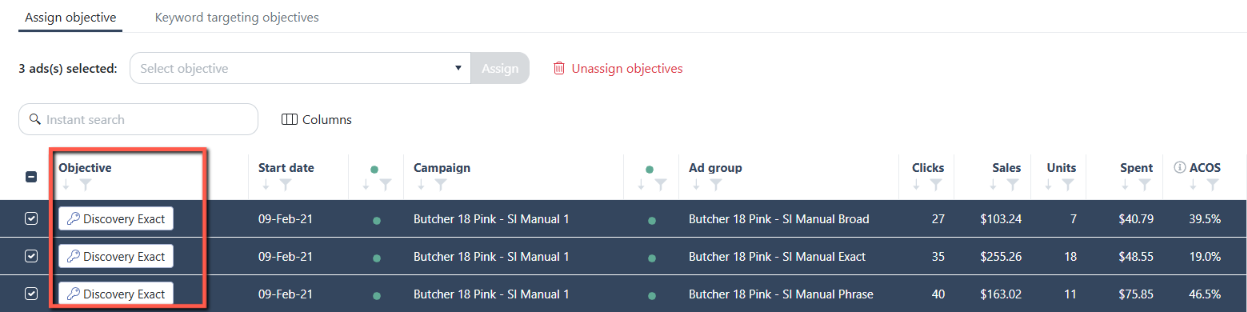
For example, you might have several campaigns targeting different traffic levels or campaign structures. A Strategic Objective can apply your bidding, scheduling, and negative keyword logic consistently across those campaigns.
You can also create more advanced campaign structures when automation handles the repetitive work in the background.
The key is to start with a clear strategy:
Define your goal → Build your rules → Combine them into a Strategic Objective → Apply it to your campaigns → Monitor the results
Learn how to create and assign a Strategic Objective, reuse it across ad groups, and manage it as your advertising strategy evolves.
[drawer]Before You Automate
Automation gives you more control and saves time, but your rules should reflect your actual advertising strategy.
Before applying an algorithm or Strategic Objective, make sure you understand:
- What conditions trigger the rule
- What action the rule will take
- How often it runs
- Which campaigns or ad groups it affects
- What limits or safeguards are configured
Start with a small set of campaigns, review the results, and adjust your strategy as needed.
Where to Go Next
Ready to explore automation in more detail?
- Learn about Algorithms – Understand the different optimization types and how their rules work.
- Learn about Strategic Objectives – See how multiple algorithms can be combined into a complete strategy.
- Learn how to assign automation to campaigns – Apply your rules to the campaigns you want to optimize.