
Understanding Rule Types
In Scale Insights, automation rules are classified as stackable or mutually exclusive. This determines whether multiple rules of the same algorithm type can be applied to an ad and how individually assigned rules interact with rules inherited from a Strategic Objective.
| Rule Type | How It Works |
|---|---|
| Stackable | Multiple rules of the same algorithm type can be applied to an ad. The algorithm evaluates the rules according to their configured priority. |
| Mutually Exclusive | Only one rule of the same algorithm type can apply to an ad at a time. An individually assigned rule takes precedence over an inherited rule of the same type. |
How Stackable Rules Work
Stackable rules let you combine multiple rules of the same algorithm type to support your optimization strategy.
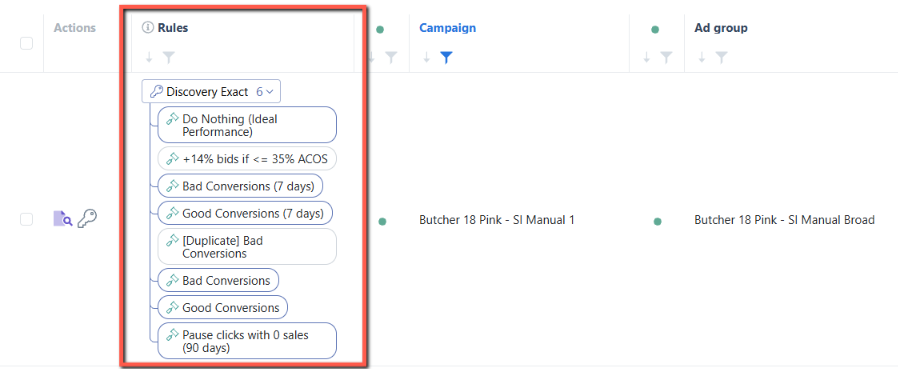
For example, an ad group may inherit three Bidding Rules from its assigned Strategic Objective. You can assign additional Bidding Rules directly to the ad group to extend the existing strategy.
When the Bidding algorithm runs:
- Rules are evaluated by priority. The algorithm evaluates higher-priority rules before lower-priority rules.
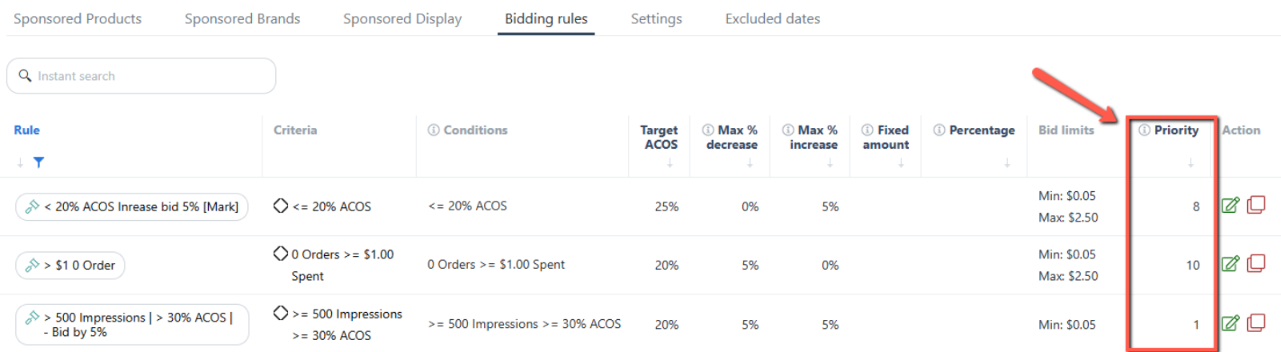
- Duplicate rules are ignored. The same rule will not be executed twice.
- Actions depend on trigger conditions. A rule's action is executed when its trigger conditions are met.
Example: Combining Bidding Rules
An ad group inherits three Bidding Rules from its Strategic Objective and has two additional rules assigned directly to it.
If one of the individually assigned rules duplicates an inherited rule, the algorithm ignores the duplicate. The remaining unique rules are evaluated according to their configured priority.
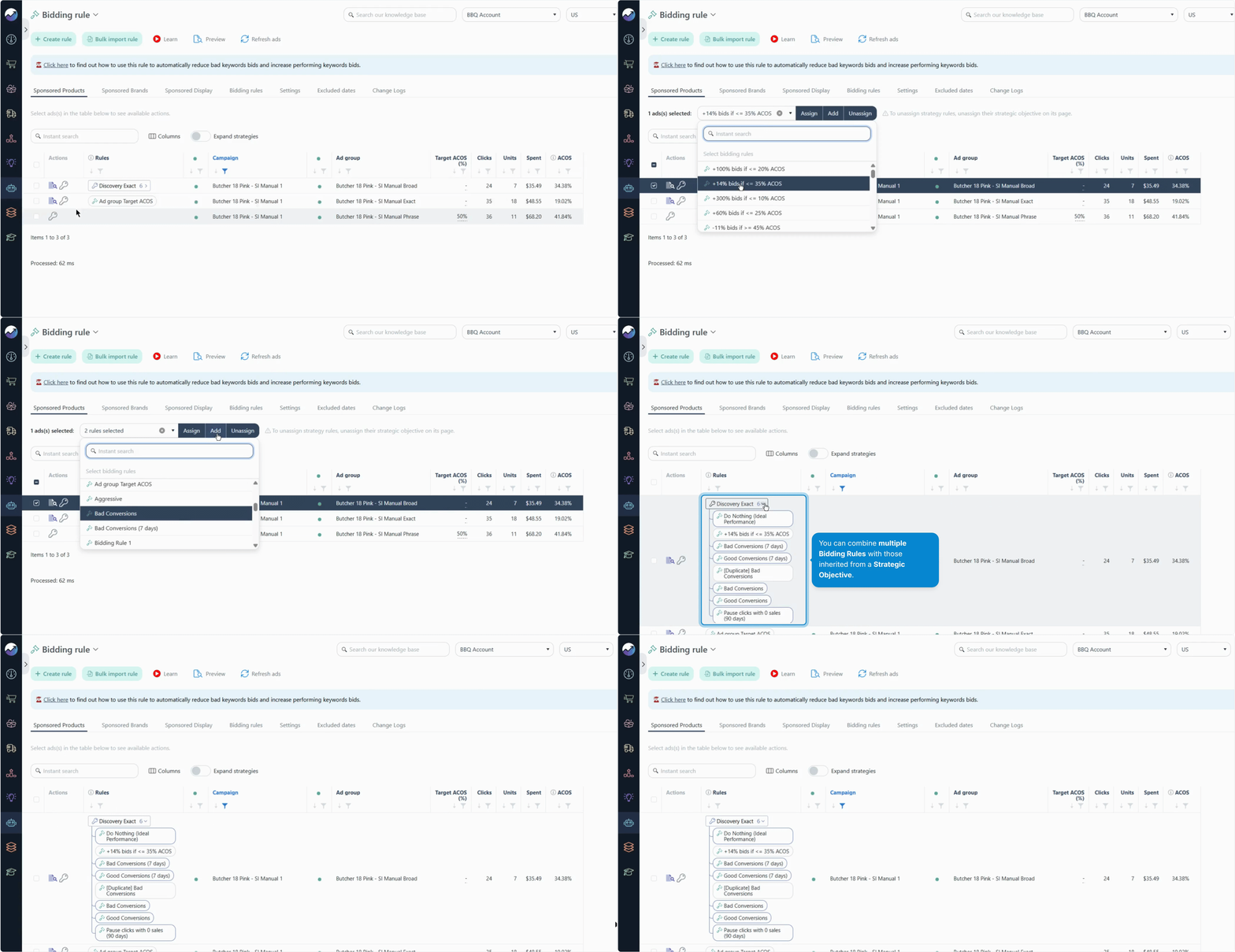
This allows you to extend a Strategic Objective's behavior without creating duplicate rules or configuring the entire strategy from scratch.
How Mutually Exclusive Rules Work
Mutually exclusive rules allow only one rule of the same algorithm type to apply to an ad at a time.
If an ad inherits a mutually exclusive rule from a Strategic Objective, assigning another rule directly to the ad group overrides the inherited rule.
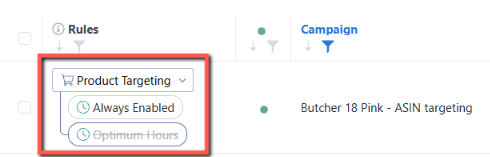
Example: Overriding a Dayparting Rule
Suppose your ad group inherits the Optimum Hours Dayparting Rule from its Strategic Objective. You then assign the Always Enabled rule directly to the ad group.
The individually assigned Always Enabled rule takes precedence over Optimum Hours. The inherited rule is superseded and no longer applies to that ad group.
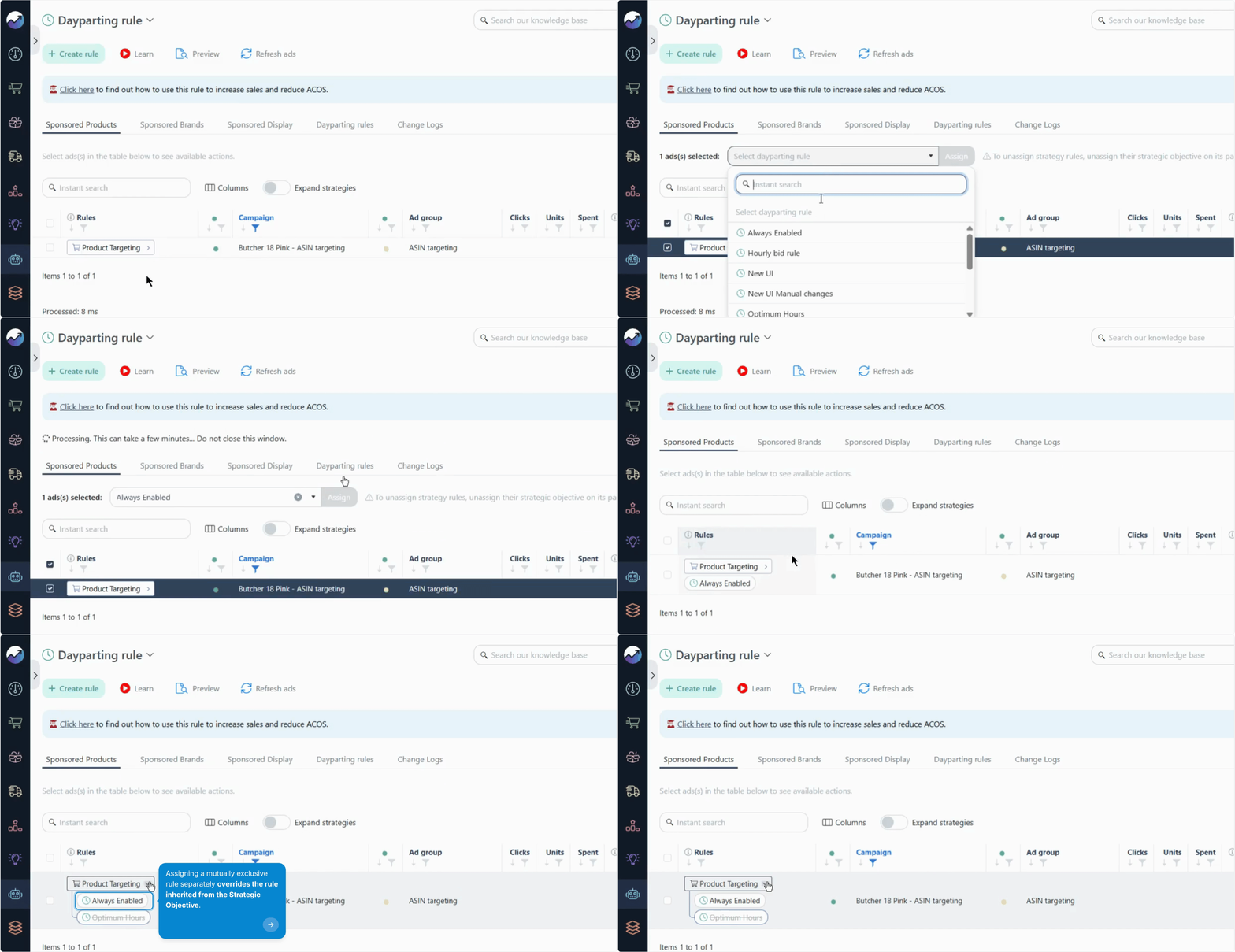
This is useful when you want an ad group to behave differently from the default strategy defined by its Strategic Objective.
Algorithm Type Reference
Use the table below to check whether an algorithm supports stackable or mutually exclusive rules before configuring your automation.
| Algorithm | Rule Type |
|---|---|
| Dayparting | Mutually Exclusive |
| Bidding | Stackable |
| Import | Stackable |
| Negative | Stackable |
| Negative Word | Stackable |
| Blacklist | Mutually Exclusive |
| Revive | Stackable |
| Default Bid | Mutually Exclusive |
| Status | Stackable |
| Daily Budget | Mutually Exclusive |
| Placement | Stackable |
Tip
When assigning a rule to an ad group, check its algorithm type first. This helps you understand whether the new rule will work alongside existing rules or override an inherited rule of the same type.
What's Next?
Explore these resources to learn more about configuring your automation:
- Overview of Each Automation Algorithm — Learn what each algorithm does and how it supports your optimization strategy.
-
How to Automate Your Ads — Learn how to set up automation for your ads.