New Features
1. MCP: Analyze SI Data with AI
You can now connect Scale Insights to supported AI tools and get insights from your data by simply asking questions in plain English.
Navigation: Settings > Set Up MCP Connection
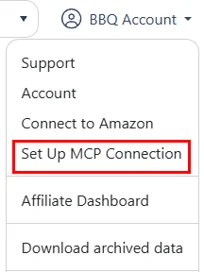
Scale Insights MCP Portal
Access the MCP setup page to connect your AI application, download the latest Scale Insights Skill, and view the latest changelog.
https://portal.scaleinsights.com/Settings/MCPConnect
Connect Scale Insights to your preferred AI application:
- ChatGPT
- Claude
What you can do:
Ask questions about your PPC data: Quickly understand campaign performance, spending, sales, and more.
Find opportunities faster: Identify wasted spend, underperforming campaigns, and areas that may need attention.
Get actionable insights: Turn your advertising data into recommendations without manually digging through reports.
Save time on analysis: Get answers without manually filtering reports or switching between views.
Use ready-made PPC prompts: Install the optional Scale Insights Skill to access specialized prompts and shortcuts for common Amazon PPC tasks.
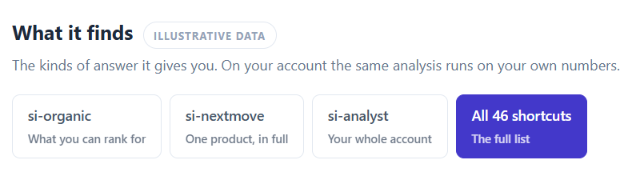
Learn more about Scale Insights MCP in Getting Started with Scale Insights MCP.
2. Dayparting Rule: Enhanced Hourly Insights and Rule Creation Tools
The Dayparting rule create/edit page has been enhanced with new tools and improvements to make hourly bid management faster and more intuitive.
Navigation: Automation > Dayparting Rule
Upload Amazon hourly reports
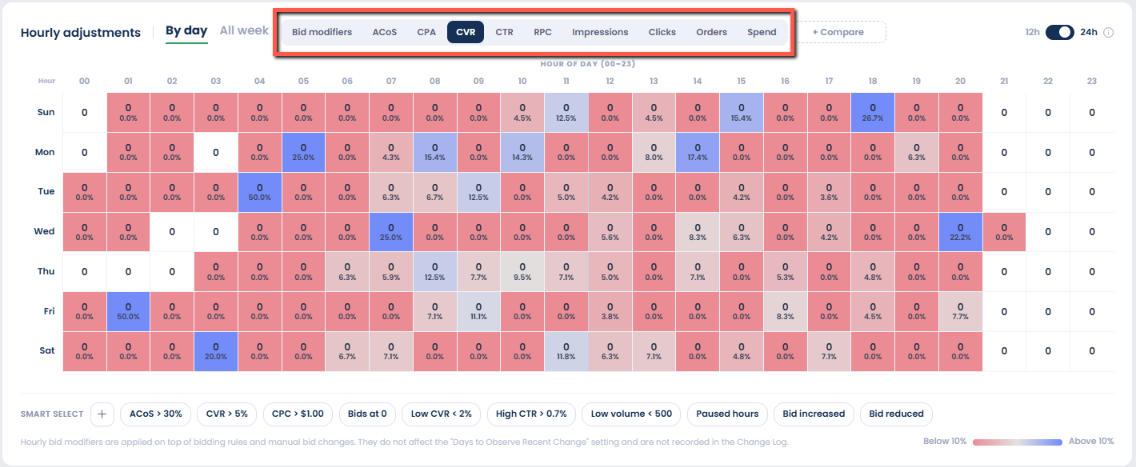
Upload your Amazon Hourly report directly to the Dayparting page to analyze performance by day and hour.
Supported SP, SB, and SD reports populate a color-coded day-by-hour grid across seven metrics, helping you identify performance trends before setting bid modifiers.

The data is displayed in a heatmap, making it easy to spot performance patterns and identify your strongest and weakest hours at a glance.
Use these insights to make more informed hourly bid adjustments.
Select hours based on performance
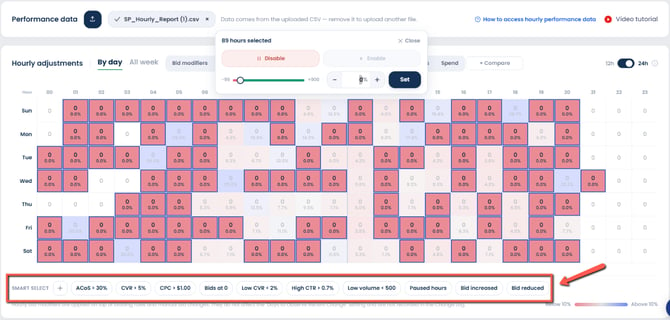
Quickly identify and select hourly periods based on performance using Smart Select.
Choose from preset conditions or create your own to streamline the selection process.
Automatic adjustment controls
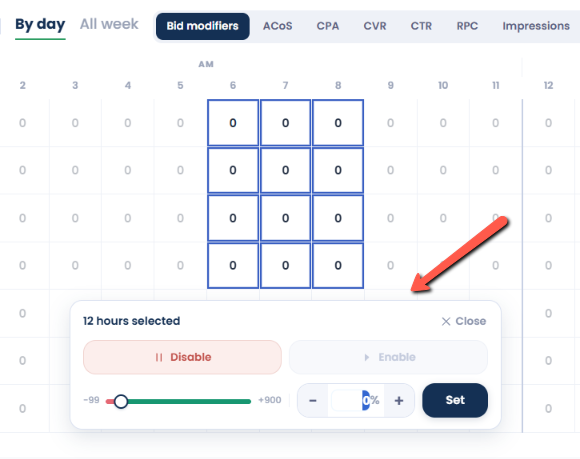
After selecting cells, the bulk status and bid modifier controls now appear automatically, making it faster to apply changes to multiple time slots.
Other improvements:
- Previous values are restored: When you re-enable a previously disabled cell, its last bid adjustment is restored instead of being reset to 0%.
- Minimum adjustment changed to -99%: The minimum bid adjustment is now -99% instead of -100%. A -100% adjustment would reduce the bid to $0, which is invalid.
Learn how to set up and use hourly bid adjustments: Getting Started with Hourly Bid Adjustments
3. Placement Rule: Optimize TOS, ROS, and PP simultaneously
The Placement rule now allows Top of Search (TOS), Rest of Search (ROS), and Product Pages (PP) to be optimized simultaneously within the same campaign.
- When separate placement rules are configured for TOS, ROS, and PP, each rule is evaluated independently.
- If the criteria for each rule are met and the rule is not blocked by its observation settings, multiple placement rules can execute in the same cycle.
Navigation: Automation > Placement Rule .png)
Days to Observe Scope
Each placement can have its own observation period, providing more granular control over how recent placement changes affect rule execution.
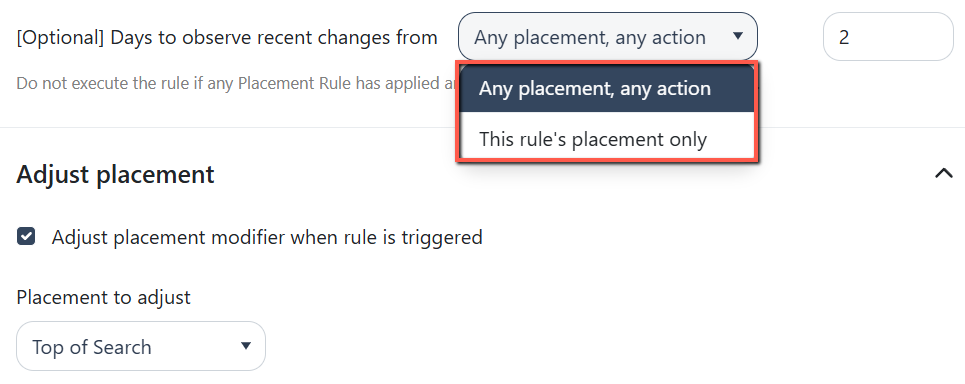
The Days to Observe Recent Changes setting now lets you choose how recent changes are evaluated:
- Any Placement, Any Action: Recent changes to any placement can prevent the rule from executing.
- This Rule's Placement Only: Only recent changes to the rule's target placement can prevent it from executing.
Improved Changelog
Placement changes now identify the specific placement adjusted (TOS, ROS, or PP), with a separate entry for each rule that executes.
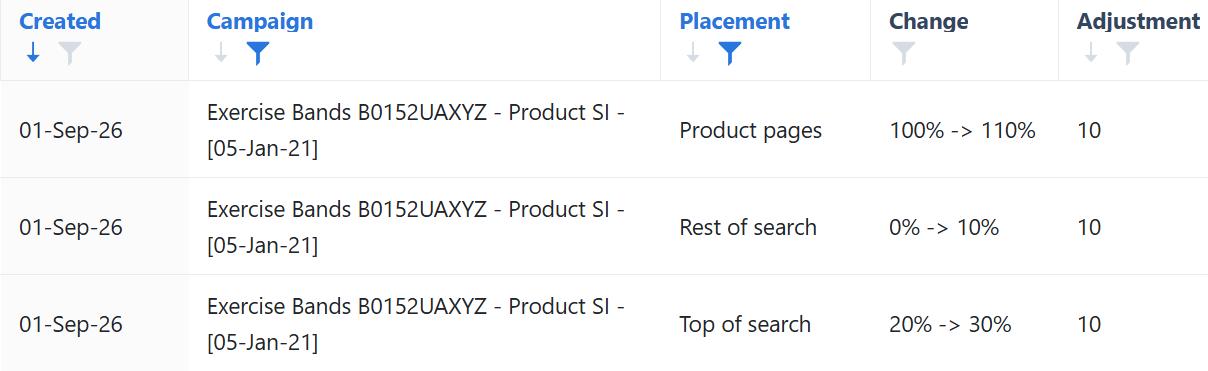
4. Import Rule: Import Keywords Using Ranking and SQP Signals
The Import rule now supports importing search terms based on Keyword Ranking and Search Query Performance (SQP) data.
This helps you automatically identify and import search terms with strong ranking or revenue potential, reducing the need for manual analysis.
Ranking and SQP criteria work alongside existing Import rule criteria using AND logic. A search term is imported only when all configured conditions are met.
Navigation: Automation > Import Rule
.png)
Note: A search term must be tracked for Ranking criteria to apply, while SQP criteria do not require keyword tracking.
5. Mass Campaigns: AMC Audience Bid Boost for SPC
You can now apply Audience bid boosting to Sponsored Products ads via Split Products to Campaigns (SPC).
This enhancement lets you increase bids for specific audience segments that are more likely to convert, improving targeting and campaign performance.
Supported Audience segments:
- Users who clicked or added the brand’s product to their cart
- Users with high interest based on shopping history
- Previous purchasers of the brand’s product
Navigation: Mass Campaigns > Split Products to Campaigns
.png)
Enhancements
1. Ads Insights: New Filter Options for Keyword Performance
The Keyword Performance Filter now includes two new options across the Sponsored Products, Sponsored Brands, and Sponsored Displays tabs, giving you faster and more precise control over your results.
Hide Paused Keywords/Targets:
You can now exclude paused keywords or targets directly from the filter panel, avoiding the slower column-filter process that could cause performance issues, especially for large accounts.
TOS Impression Share Percentage:
You can now filter keywords based on their Top-of-Search (TOS) impression share percentage, making it easier to identify keywords with low or high TOS visibility
Navigation path: Ads Insights > Performance > Keywords > Filters 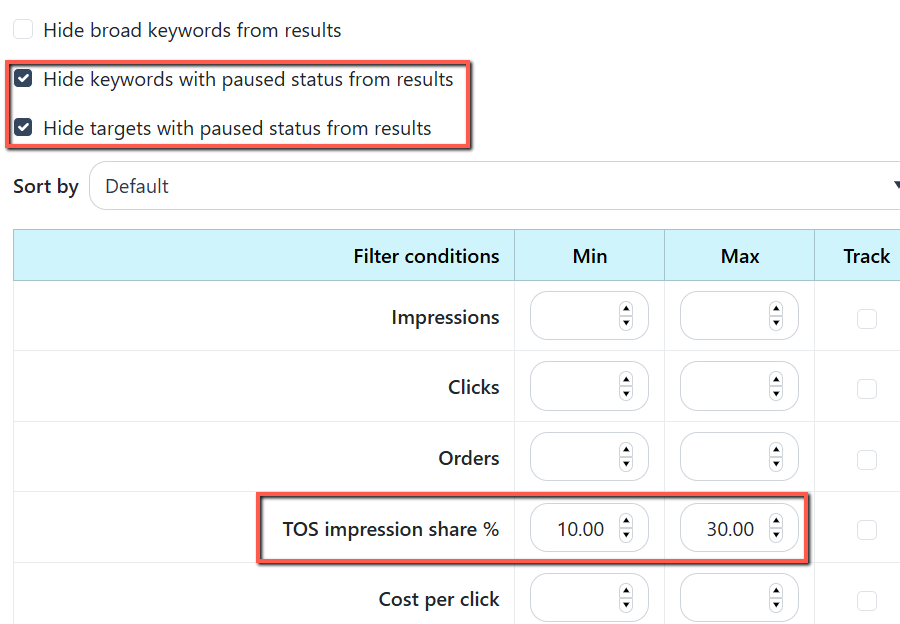
2. Ads Insights: Summary Trend Report for Campaign Performance
The Campaign Performance page now includes a trend report for the subtotal summary row.
This provides a quick period-over-period view of performance for the selected products, making it easier to spot trends and assess overall performance at a glance.
Navigation: Ads Insights > Performance > Campaigns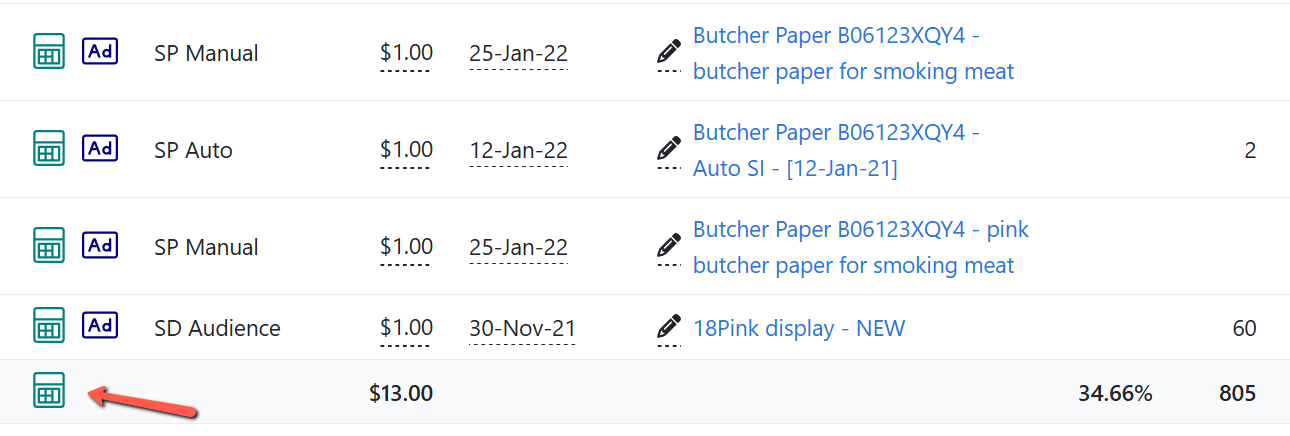
You can also select specific campaigns using their checkboxes before opening the report.
The report will then show summary statistics only for those campaigns.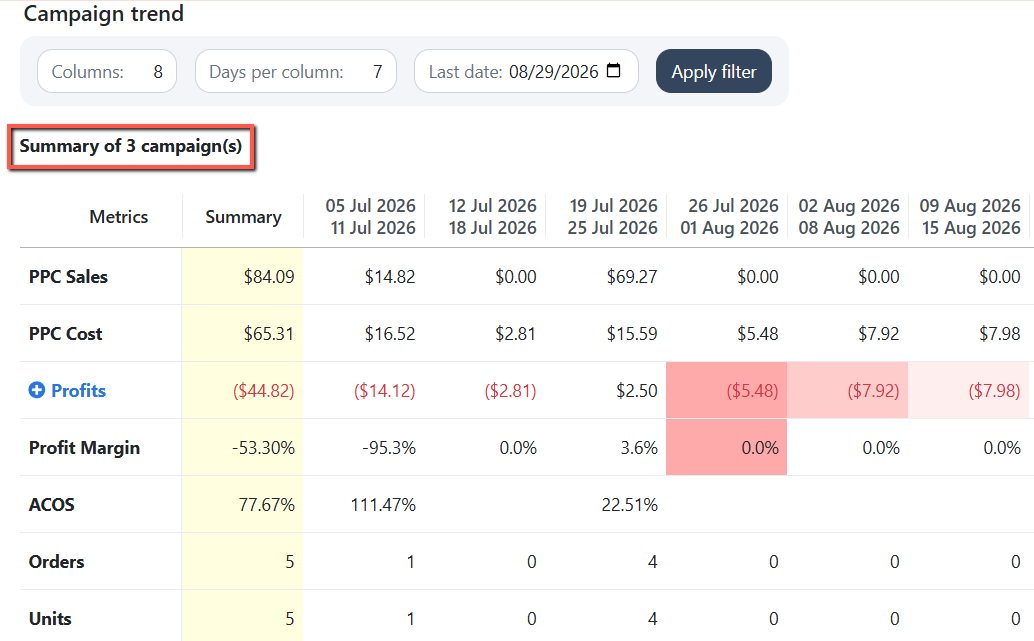
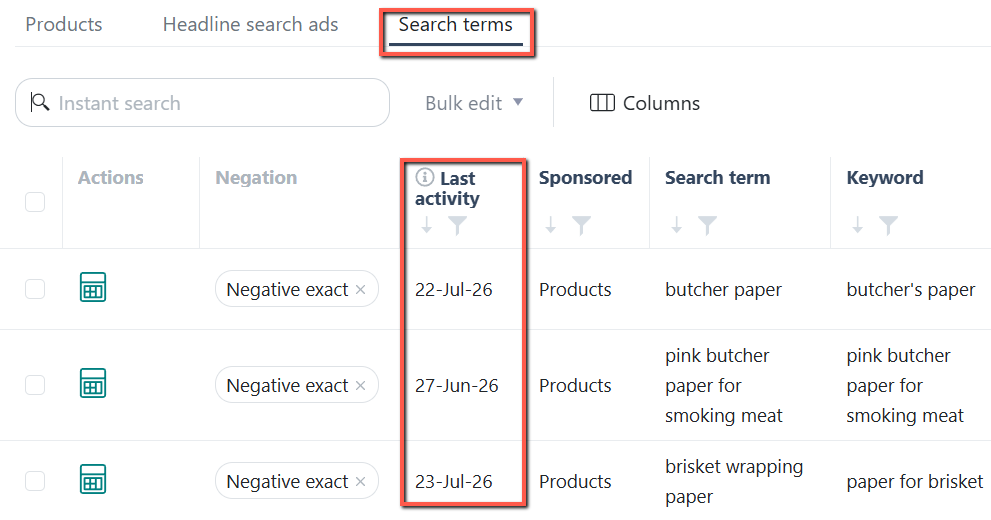
3. Ads Insights: Last Activity Date on Search Terms page
The Search Terms page now includes a Last Activity column.
Last Activity shows the most recent date with available stats for each search term within the selected date range.
Navigation: Ads Insights > Search Terms
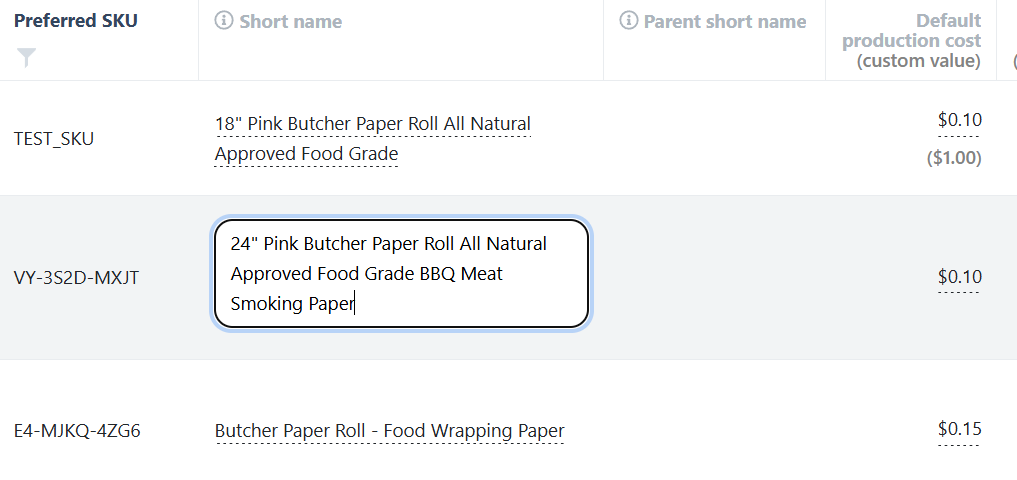
4. Products: Short Name Field Expands to Column Width
The Product Short Name field now expands to match the width of its column, making longer values easier to view and edit.
You can resize the column to create more editing space. This improvement applies to both Child ASIN and Parent ASIN short name columns.
Navigation: Products > Product Details
Bug Fixes
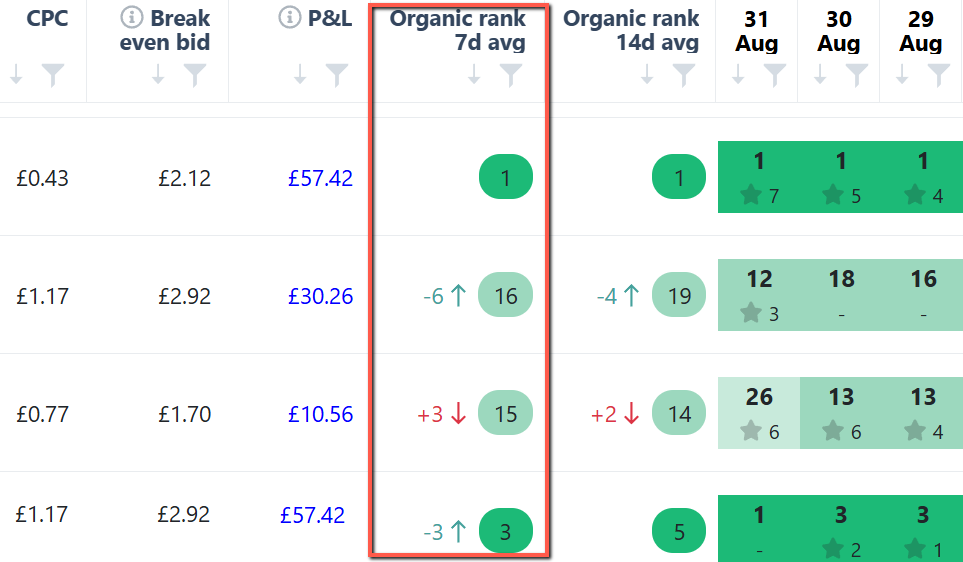
Ranking & Search Terms: Corrected Rank Delta Calculation
- The rank delta calculation has been corrected to accurately reflect ranking changes and trend arrows.
- The formula is now "Recent Average Rank − Past Average Rank", with negative deltas indicating improved rankings and positive deltas indicating declines.