
Hourly Bid Adjustment lets you adjust keyword bids by hour based on your campaign's performance throughout the day. You can increase bids during hours when performance is stronger or reduce bids during weaker hours without necessarily stopping traffic.
See Hourly Bid Adjustment in action in the walkthrough below.
What Are Hourly Bid Adjustments?
An hourly bid adjustment is a percentage modifier applied to a keyword's current base bid for a specific hour.
For example, if your base bid is $1.00:
- A +10% adjustment results in a $1.10 bid.
- A -20% adjustment results in a $0.80 bid.
This gives you more control over how aggressively you bid throughout the day.
Why Hours Matter
Performance can vary throughout the day. Some hours may generate stronger conversion rates, while others may generate clicks with fewer conversions.
Review your hourly performance data before setting adjustments to identify periods when you may want to bid more or less aggressively.
Tip: Use your hourly performance data to determine which hours may benefit from higher or lower bids rather than applying adjustments based on assumptions.
On/Off Ad Scheduling vs. Percentage Bid Modifiers
Dayparting provides two different ways to control advertising activity by hour:
| Option | What it does |
|---|---|
| On/Off ad scheduling | Turns advertising activity on or off during specified hours. |
| Percentage bid modifier | Increases or decreases the bid for a specified hour while allowing the advertising activity to remain enabled. |
-
Use on/off ad scheduling when you want advertising activity to stop completely during certain hours.
-
Use a bid modifier when you want to remain active but bid more or less aggressively during specific hours.
Important: A 0% bid adjustment means there is no change to the keyword bid. However, if the hourly setting also enables the ad group for that hour, the ad group's status change still takes effect.
How to Set an Hourly Bid Modifier
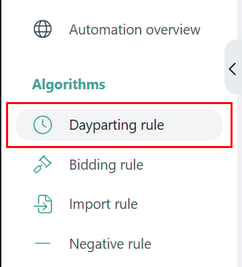
- Go to Automation > Dayparting Rule.
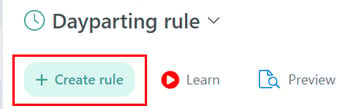
- Create a new rule or edit an existing Dayparting Rule.
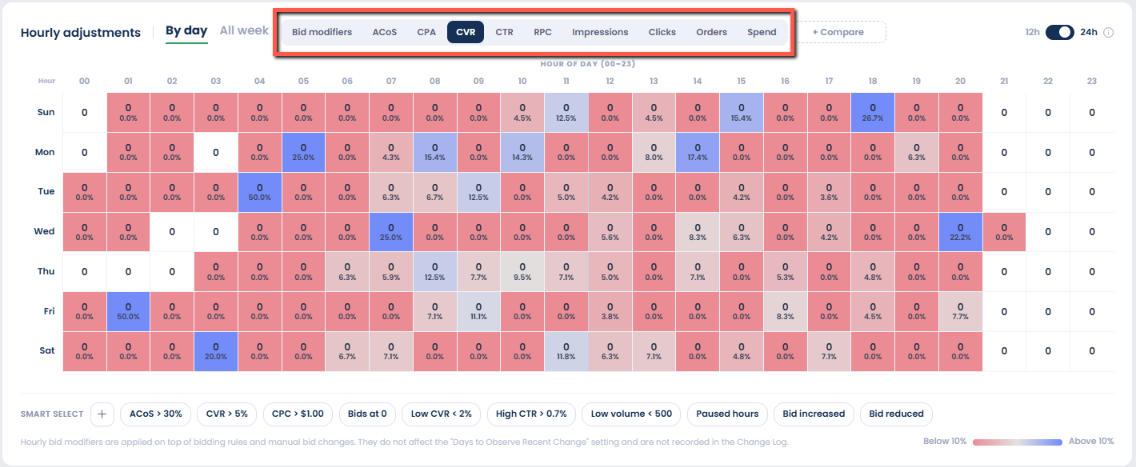
- Upload your Amazon Hourly report directly to the Dayparting page to view performance metrics across each day and hour.

Follow the steps in this video walkthrough to access and download your Amazon Hourly report.
Once the report is uploaded, the data is displayed in a heatmap, making it easy to spot performance patterns and identify your strongest and weakest hours at a glance.
Use these insights to make more informed hourly bid adjustments.
- Enter the desired percentage adjustment for each hour.
At the same time, you can configure the ad group state change to turn it off during specific days and hours, or keep it enabled with or without bid adjustments.
Drag across cells to select multiple hours, rows, or columns for faster editing.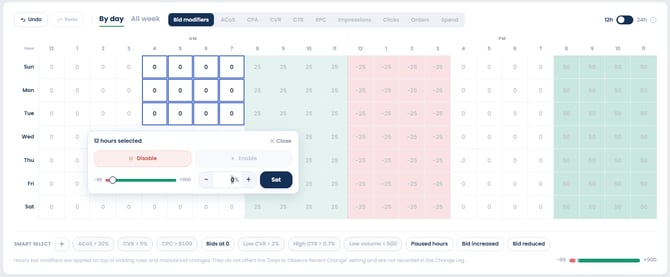
- You can also use Smart Select to quickly identify and select hourly periods based on performance.
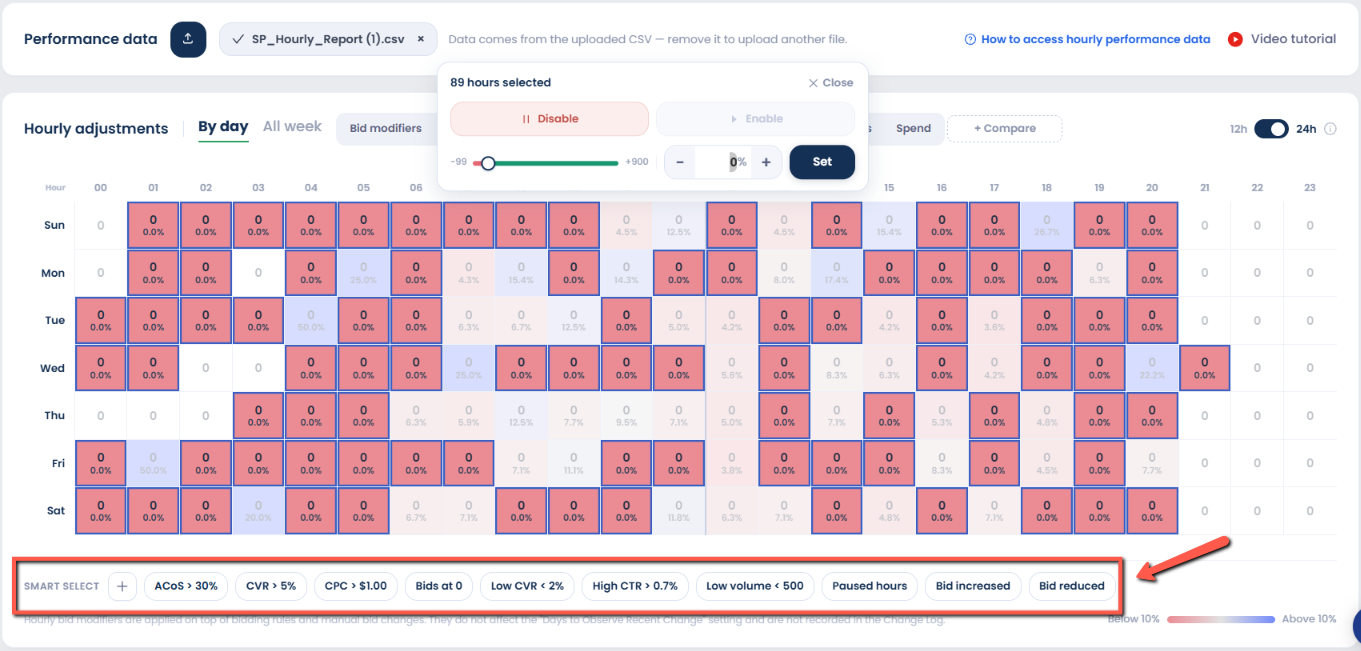
- After configuring the hourly adjustments, click Create rule to save the settings.
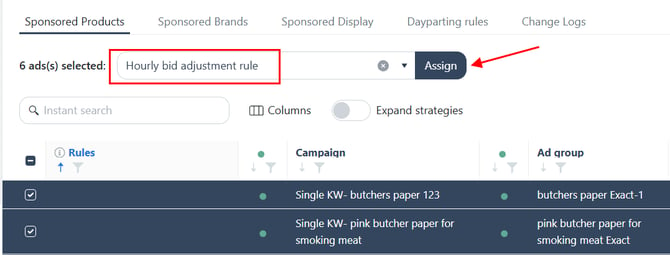
- Select the campaigns and ad groups you want the rule applied to. Choose the rule from the dropdown, then click Assign.
How Hourly Bid Adjustment Works
The hourly bid adjustment is calculated from the keyword's base bid for that hour.
Increasing a bid
If the base bid is $1.00 and the adjustment is +10%:
$1.00 × (1 + 0.10) = $1.10
The resulting bid is $1.10.
Decreasing a bid
If the base bid is $1.00 and the adjustment is -20%:
$1.00 × (1 - 0.20) = $0.80
The resulting bid is $0.80.
Adjustments Are Not Cumulative
Each hour is calculated independently from the base bid. An adjustment from one hour does not carry over to the next.
For example, with a $1.00 base bid:
- 1:00 PM: No adjustment → $1.00
- 2:00 PM: +20% → $1.20
- 3:00 PM: -10% → $0.90
The 3:00 PM adjustment is calculated from the $1.00 base bid, not the $1.20 bid from 2:00 PM.
See also: Considerations for Hourly Bidding for information about what can reset an hourly bid adjustment and when adjustments do not apply.
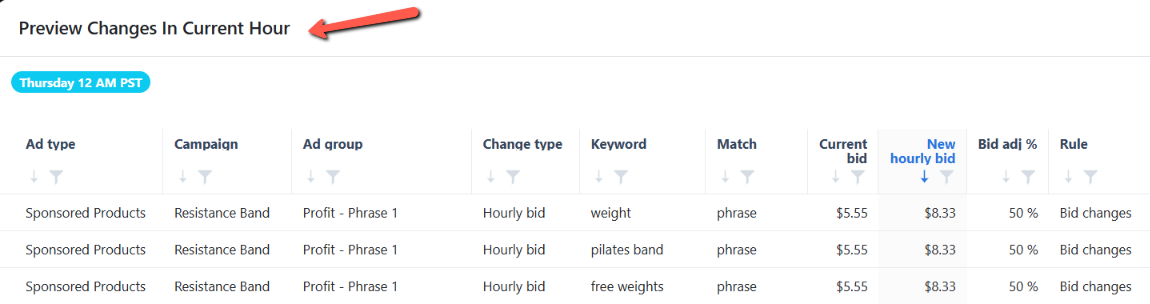
How to Preview Bid Changes
Use the Preview feature to see the bid values that would be applied if the Dayparting Rule were executed at the current time.
Review the preview before relying on the rule to make sure the resulting bids match your intended adjustments.

FAQ
Does an hourly bid adjustment pause my campaigns?
No. An hourly bid adjustment changes the bid amount; it does not pause the campaign or ad group.
If you want to stop advertising during specific hours, use the on/off ad scheduling instead.
Do hourly bid adjustments accumulate from hour to hour?
No. Each hourly adjustment is calculated independently from the base bid. An adjustment from one hour does not carry over to the next.
What happens if I use a positive adjustment?
A positive adjustment increases the base bid for that hour.
For example, if the base bid is $1.00 and the adjustment is +20%, the resulting bid is $1.20.
What happens if I use a negative adjustment?
A negative adjustment decreases the base bid for that hour.
For example, if the base bid is $1.00 and the adjustment is -20%, the resulting bid is $0.80.
Do I need to configure all 24 hours?
No. By default, ads are enabled and the bid modifier is 0%.
If you don't make a change for a specific day or hour, the Dayparting Rule uses these default settings.
What percentage range can I use?
Hourly bid adjustments can range from -99% to +900%.
- A positive adjustment increases the base bid by the specified percentage.
- A negative adjustment decreases the base bid by the specified percentage.
For example, if your base bid is $1.00:
- +50% adjustment → $1.50 bid
- -20% adjustment → $0.80 bid
What can I apply an hourly bid adjustment to?
A Dayparting Rule is applied at the ad group level. On/off scheduling controls the ad group's status for each hour, while hourly bid adjustments adjust bids for keywords, ASIN targets, and audiences.
Can I use hourly bid adjustments together with on/off ad scheduling?
Yes. Both settings can be configured within the same Dayparting Rule.
When an hourly adjustment is enabled, the ad group's status is also set to enabled for that hour. A cell with 0% means there is no change to the keyword bid, but the ad group will still be enabled for that hour.
What happens if I change the base bid?
A base-bid update clears the existing hourly bid adjustment. This can happen when the bid is changed through a Bidding Rule, manually in Scale Insights, or through Amazon Ads or another third-party tool.
For more details, see Considerations for Hourly Bidding
Related Article
Learn how to use Dayparting to schedule ads: Using Dayparting for Ad Scheduling